
How to Complete KYC Verification on Metaset
Your KYC (Know Your Customer) verification helps confirm your identity and adds an extra layer of trust and security to your Metaset account.
While KYC is not mandatory for all users, it’s required for specific services such as P2P Pay or higher withdrawal limits. Completing it ensures smooth access to all platform features whenever verification is requested.
Let’s go through the process step by step.
Step 1: Access the KYC Form
You can complete your KYC in one of the following ways:
- From your Profile → Personal Information section, if your account requires verification.
- Automatically, when prompted during actions like a P2P withdrawal or certain account upgrades.
Step 2: Fill Out the Required Information
The KYC form includes the following fields:
- Name – Enter your first name exactly as written on your ID.
- Family – Enter your surname (last name) exactly as shown on your ID.
- National ID – Enter your national ID number, passport number, or driver’s license number (any one valid government-issued ID).
- Phone Number – Enter your active mobile number that matches your account details.
- Address – You only need to specify your country of residence here.
⚠️ Important: All details must exactly match the information on your ID document. Even small spelling or formatting differences can result in rejection.
Step 3: Upload Your ID Photo
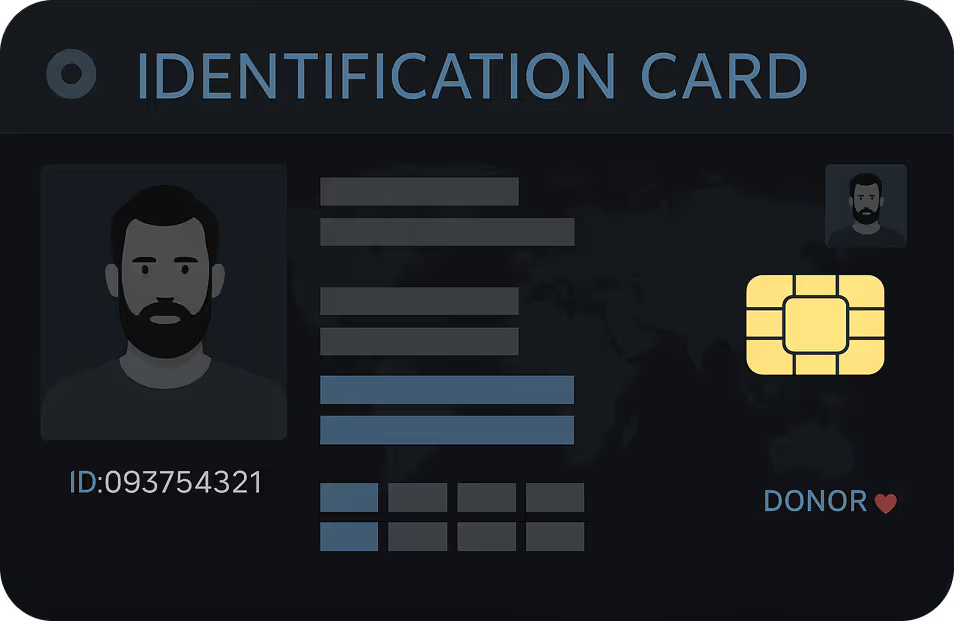
In the NID Photo field:
- Upload a clear, full image of your national ID card, passport, or driver’s license.
- Make sure all text and corners are visible — do not crop the image.
📸 Tips for Uploading Successfully:
- The image size must be small enough to upload successfully.
- If the image file is too large, you can reduce it easily:
- Take a normal photo of your ID using your phone’s camera.
- Then take a screenshot of that photo on your phone.
- Upload the screenshot version in the “NID Photo” section.
- If the image file is too large, you can reduce it easily:
- Avoid glare, blur, or low lighting.
- Only upload your own document, not someone else’s.
Step 4: Submit Your KYC
- Review all entered information carefully.
- Click Submit to send your KYC form for review.
- Your submission will appear as Pending until reviewed by the Metaset team.
Step 5: Wait for Verification
The review process typically takes from a few hours up to a few days depending on volume.
Once reviewed, your status will change automatically:
- Approved – Your identity has been verified successfully.
- Rejected – You’ll need to correct the form and resubmit.
Common Reasons Why KYC Gets Rejected
If your KYC was rejected, don’t worry — here are the most common reasons and how to fix them:
🔹 Incorrect or mismatched information
- The name or ID number does not exactly match your document.
➡️ Fix: Double-check your entries and ensure every field matches your ID.
🔹 Invalid or unrelated image
- The uploaded image isn’t a government-issued ID or is blurry/unreadable.
➡️ Fix: Upload a valid document with a clear image and visible text.
🔹 Wrong person’s document
- The ID belongs to someone else while the Metaset account is under a different name.
➡️ Fix: Only use your own legal ID that matches your account name.
🔹 File too large or corrupted
- The image file is too heavy or failed to upload properly.
➡️ Fix: Reduce the image size by taking a screenshot version of your ID photo and re-upload.
Step 6: If You Need Help
If your KYC status remains pending for too long or you face technical issues with the platform (such as upload errors), please contact Metaset Support through the Help Center ticket system inside the platform.
⚠️ Note: Do not contact Telegram support for KYC-related issues. Telegram support (@Metasetsupport24) is only for third-party cases like voucher purchase issues or payment problems on external websites.
Final Notes
Completing your KYC verification on Metaset is quick and secure. It ensures your account is verified for advanced features like P2P Pay and smooth withdrawals.
To avoid rejection, always use accurate information, clear documents, and proper image size before submission.
👉 When you’re ready, go to your Profile → Personal Information and complete your KYC form today.
Related FAQs
the minimum deposit amounts for each payment method:
🔹 For TRX deposits: The minimum deposit amount is $10 equivalent in TRX.
🔹 For USDT (TRC20) deposits: The minimum deposit amount is $50.
If your deposit is below these minimum limits, the funds will be considered as network fees and will not be added to your balance. This is a TRON network policy and is not controlled by Metaset.
Additionally, for every deposit, Metaset assigns a new wallet address. Ensure you always use the latest wallet address displayed on your deposit page. If you deposit funds to an old address, only the first deposit will be processed, and subsequent deposits to the same address will not be credited.
Don’t miss your chance to trade smarter, not harder
Join Metaset and take your trading decisions to the next level with data-driven confidence